How to set up call forwarding for your Yay.com number
Forwarding calls to an external number on Yay is nice and straightforward.
This can be done in the portal by navigating to Voice > Inbound Settings > Routing then selecting Add Call Route.
The setup of this call route is very simple:
1. Firstly, you will need to give the call route a nickname, something that identifies what this route is used for, or its destination, e.g. External Divert or 01234 56789 (the number we are diverting to).

2. Under the Routing Modules section, you will need to select the Send to Users/Forward Call module.
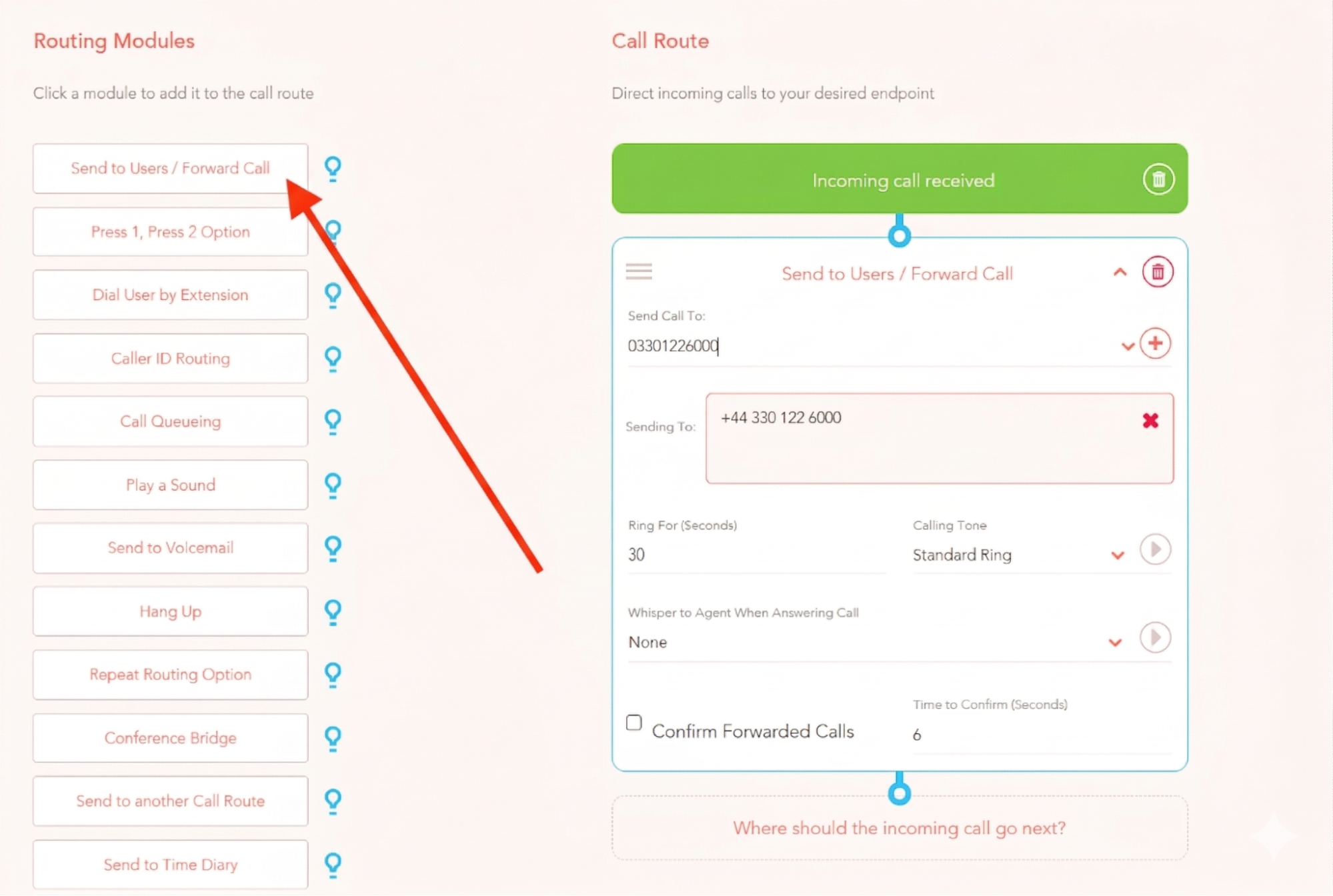
3. In the new routing module you have just added, input the external number to divert to in the Send Call To field. The external number will then be added to the Sending To section.
Please Note: Be sure to click the ‘+’ button to add the number.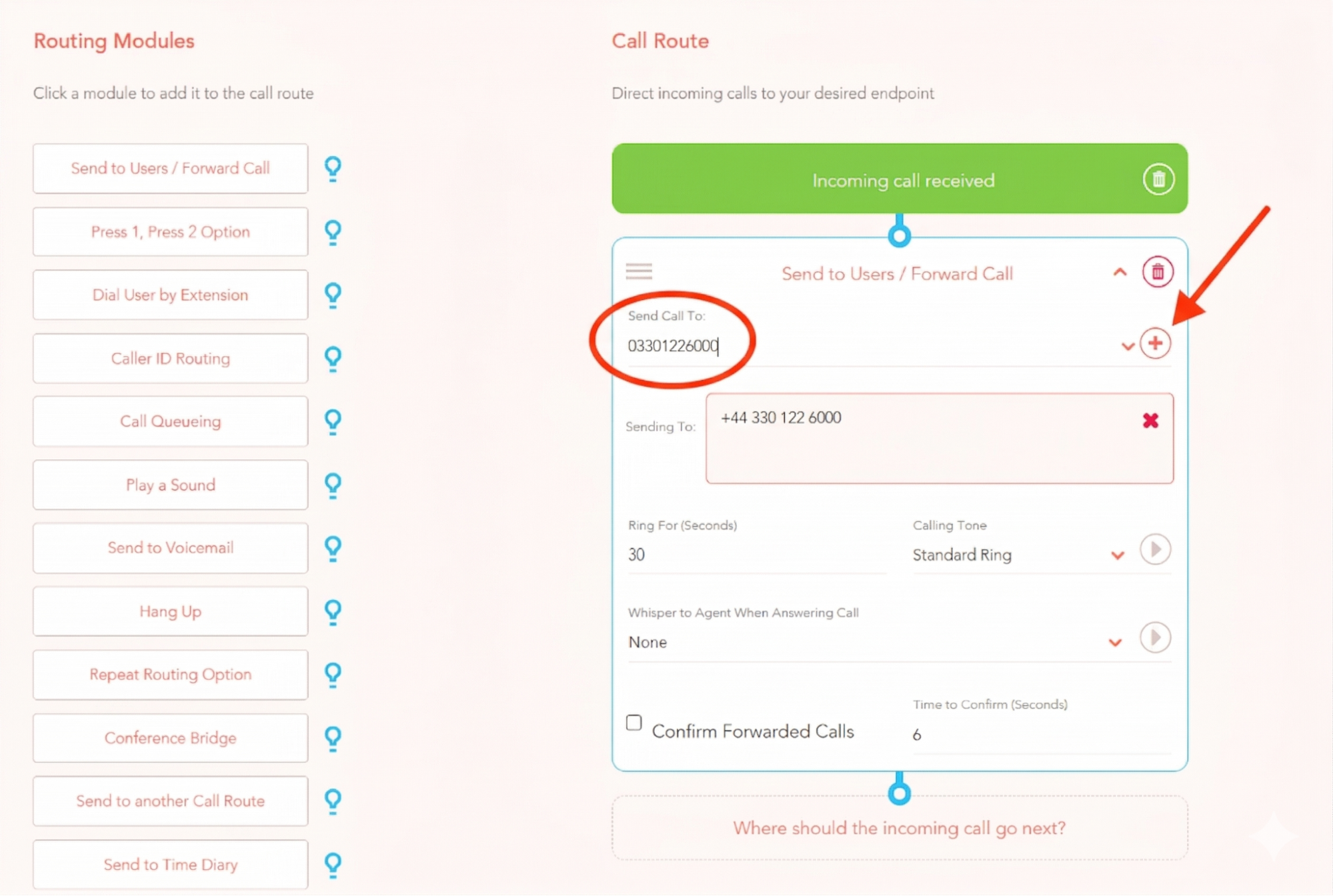
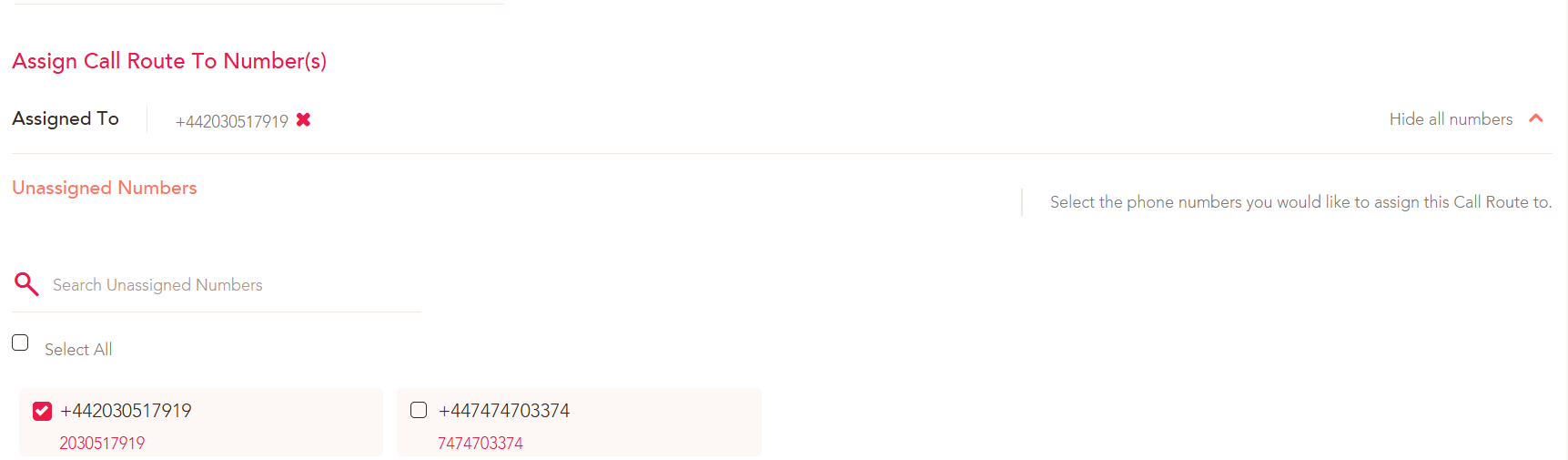
4. We then need to assign this call route to the number(s) on the account that should be forwarded to this external number. To do this, click on the View all numbers drop down menu and select the number(s) from your list by clicking the checkbox.

5. When you have selected the number(s), it will appear in the Assigned To section.
6. Finally, click Add Route to save and create the route.
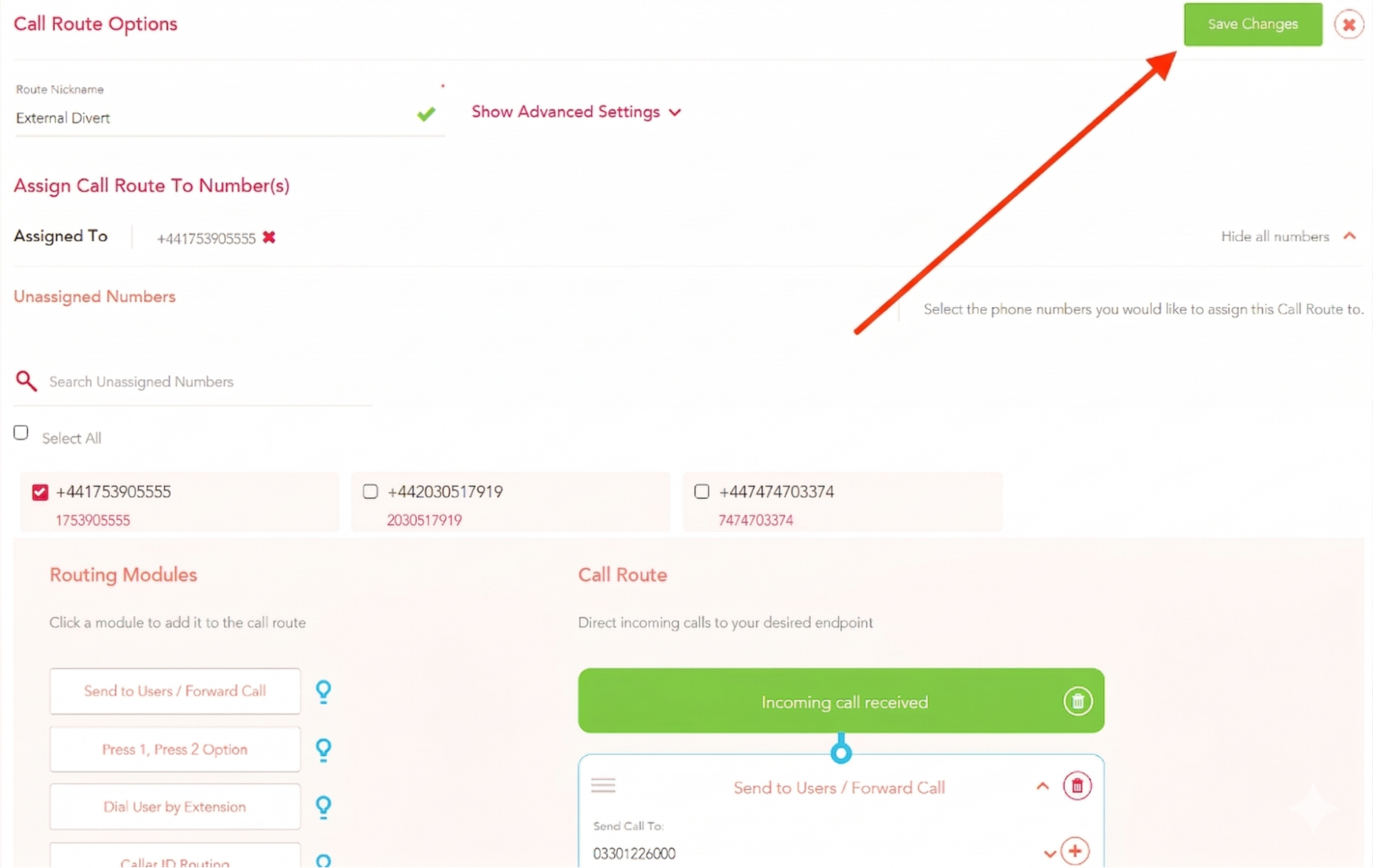
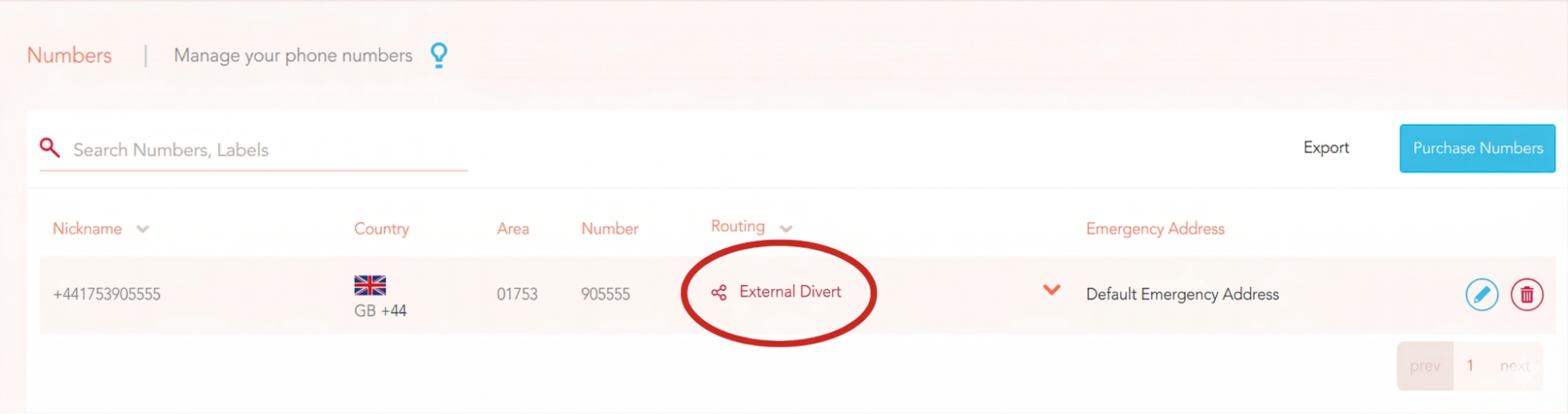
If you now go to Voice > My Numbers you will see your new call route under the Routing column for any number it is applied to.
Call routes will apply to calls 24/7 for whatever number they are assigned to. If you wish to assign different call routes at different times of the day you will need to set up a Time Diary instead - click here to learn more about Time Diaries!
Give your Yay number a test call to ensure this reaches your external number and then you are all good to go!