Can I swap my call routes on the go?
swaWhile you are able to simply head to Voice > My Numbers and assign new route to your number there, there is also a way this can be done without needing to log in to the Yay dashboard.
Instead there is a way to complete this on the Yay.com app, or a connected deskphone through the use of Short Codes!
Short Code Method
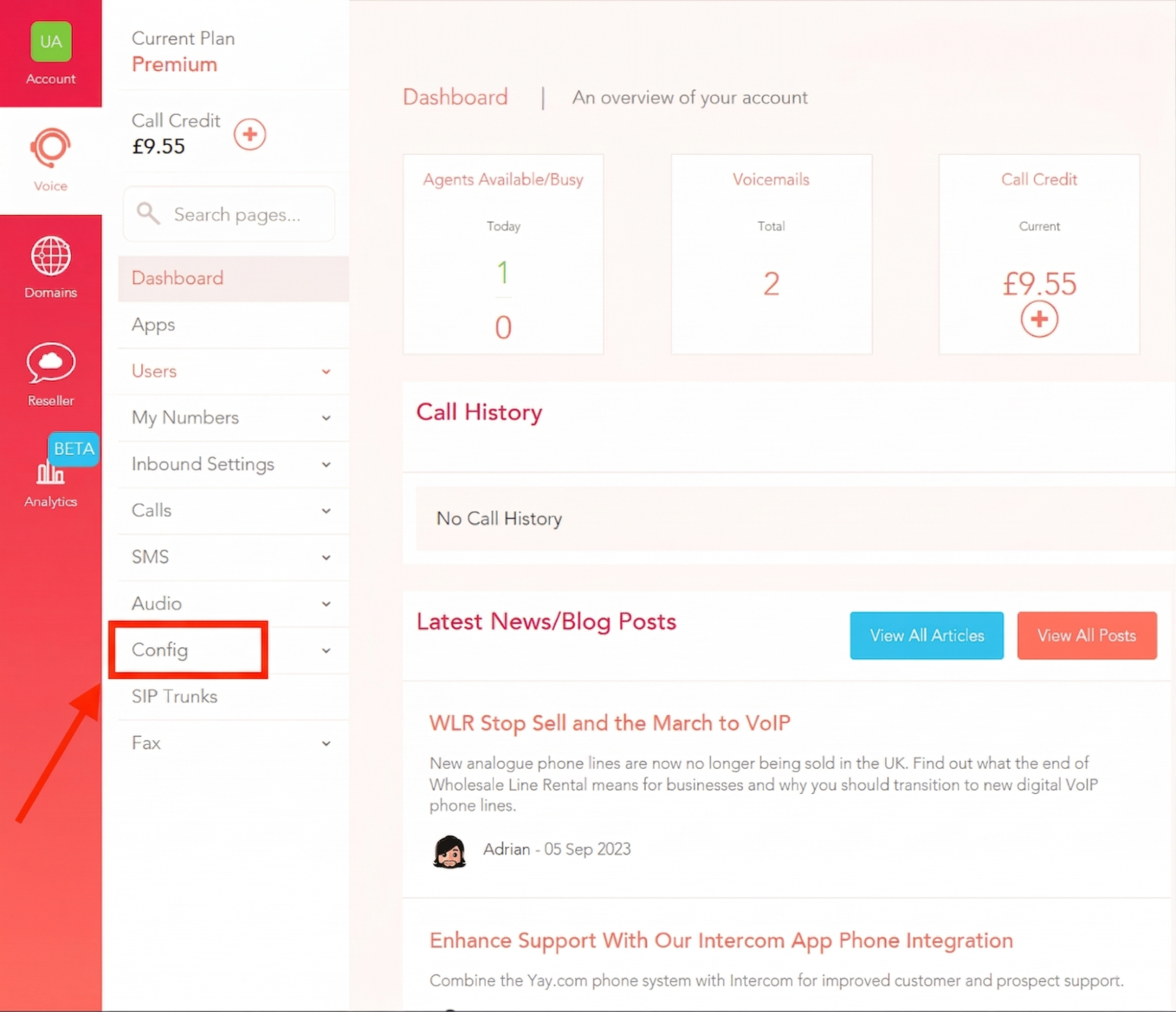
1. Go to the Voice tab then click Config:
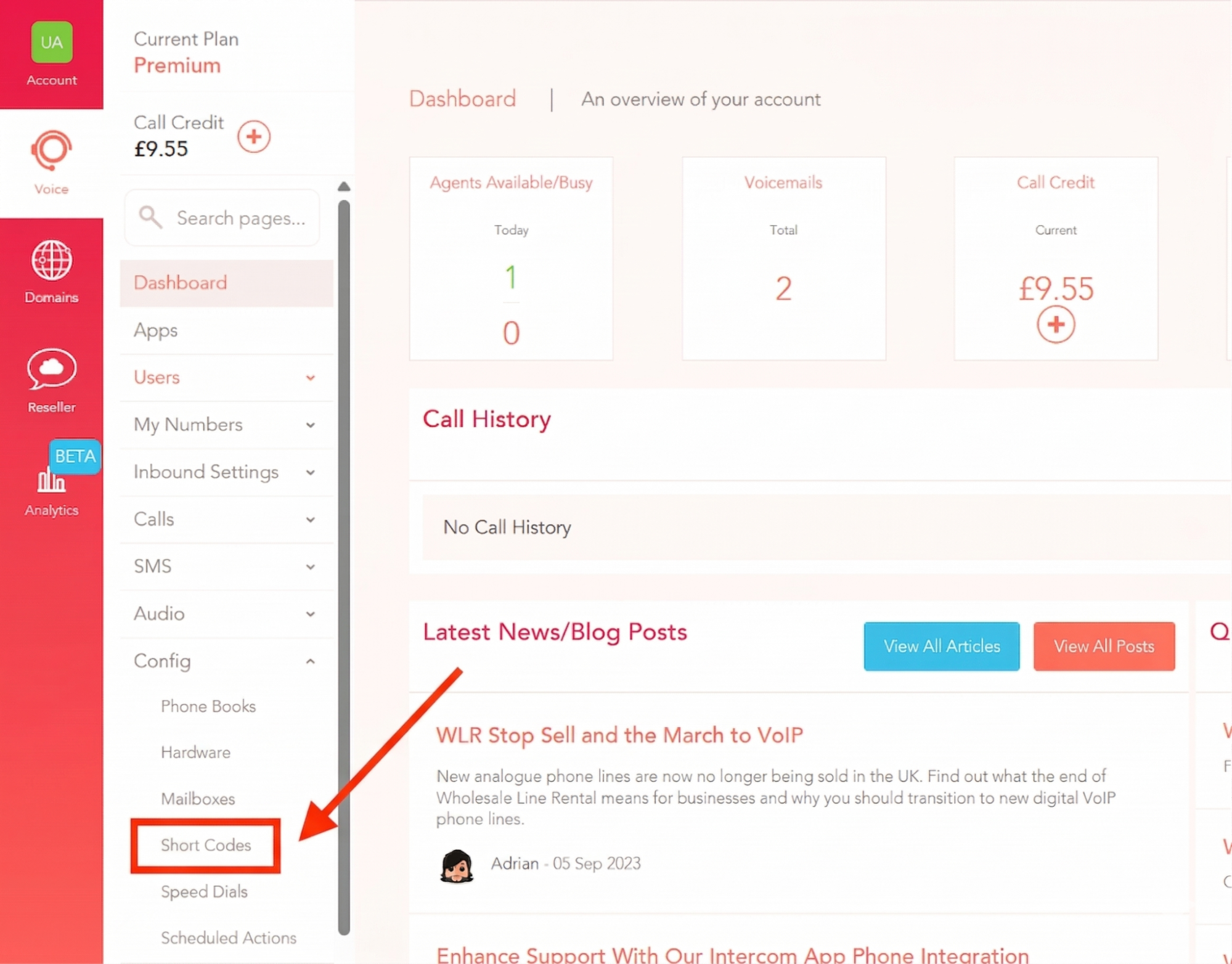
2. Select Short Codes
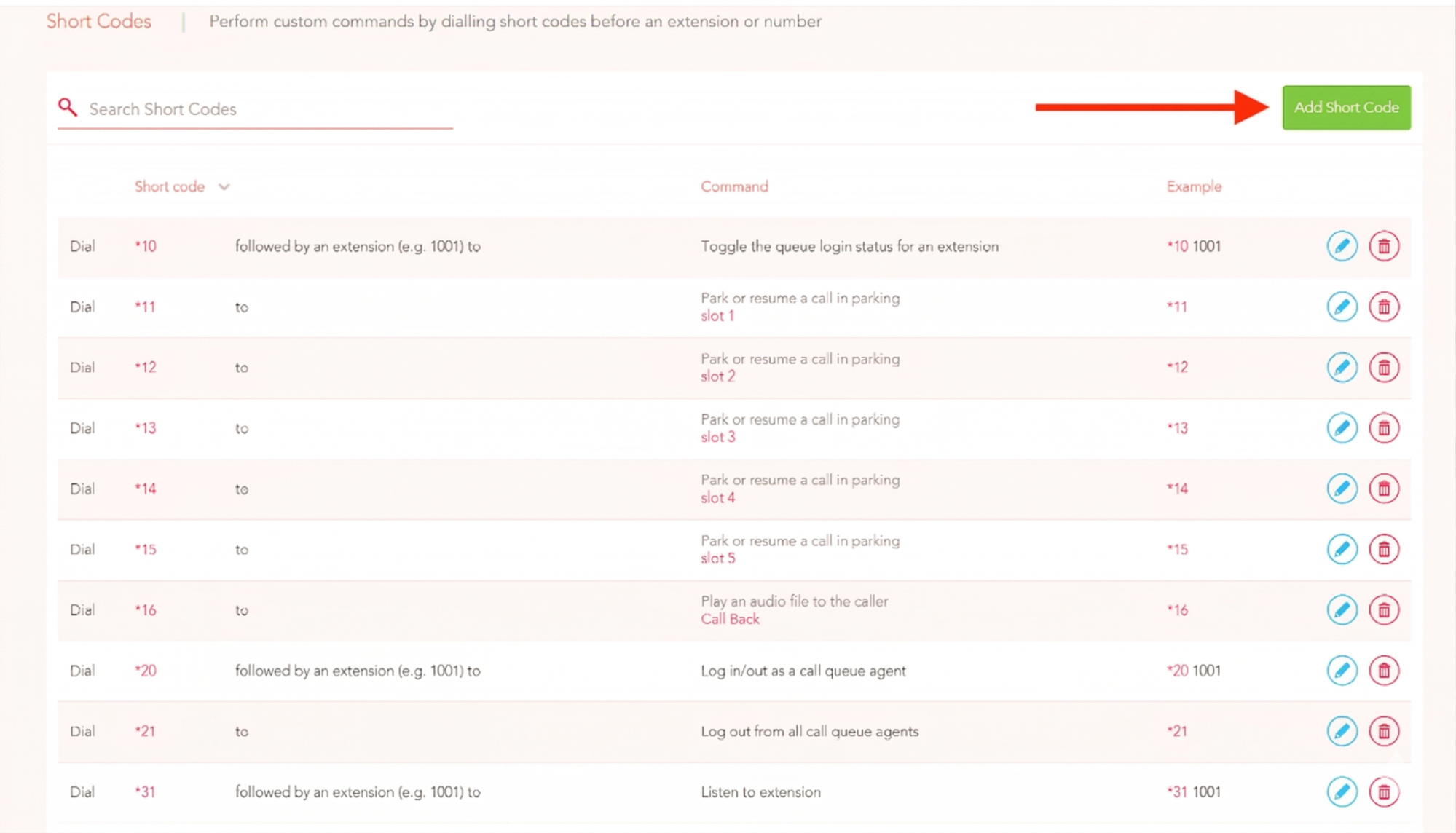
3. Select Add Short Code
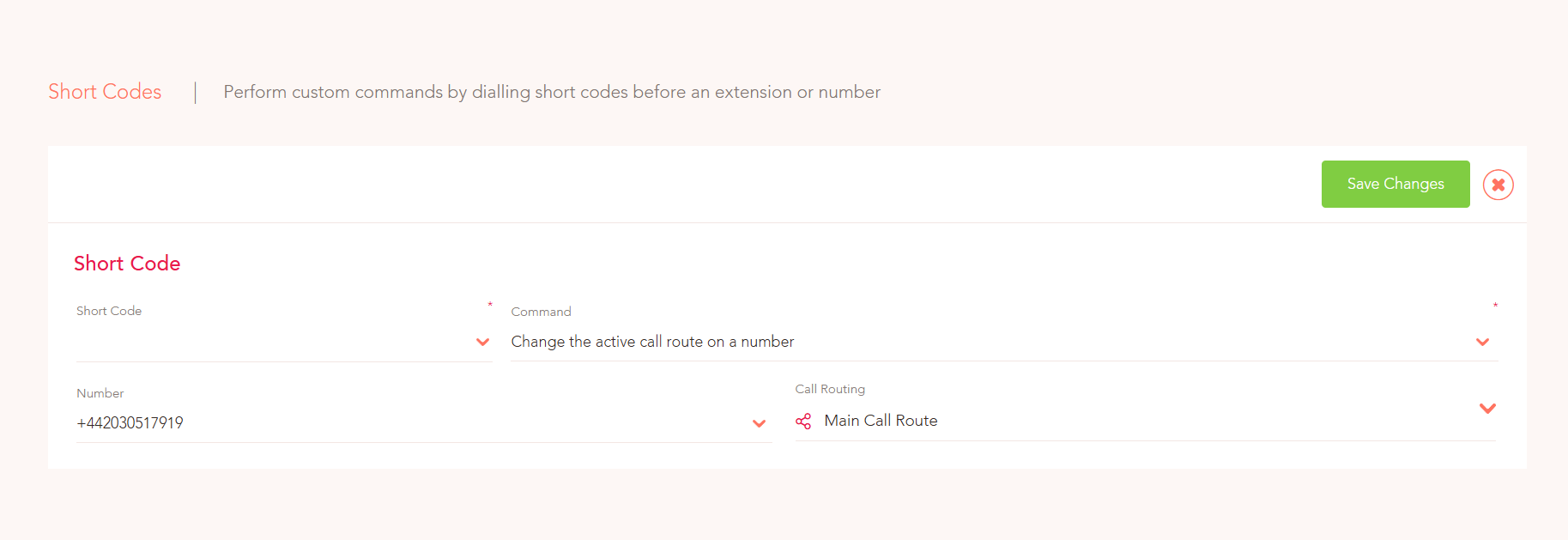
4. Select which short code option (from *10 to *999) you would like to have this under and then select 'Change the active call route on a number' under the Command drop down menu.
You then select which number and which routes you would like the short code to affect.
Once you have done that, repeat Step 1, making another short code to turn the route back to its previous state
To change the active call on a route you would dial this Short Code from any Deskphone or Yay Application!