How do I cancel my VoIP plan & stop payment being taken?
We don't tie you into a contract so you're free to come & go as you choose!
We hope you'll stay of course, but in case you need to cancel your account, simply log in to your Yay.com dashboard and head to Account > My Voice Plans.
Here you can scroll to the bottom of the page, and in the bottom right you can see the option to 'Cancel my Plan':
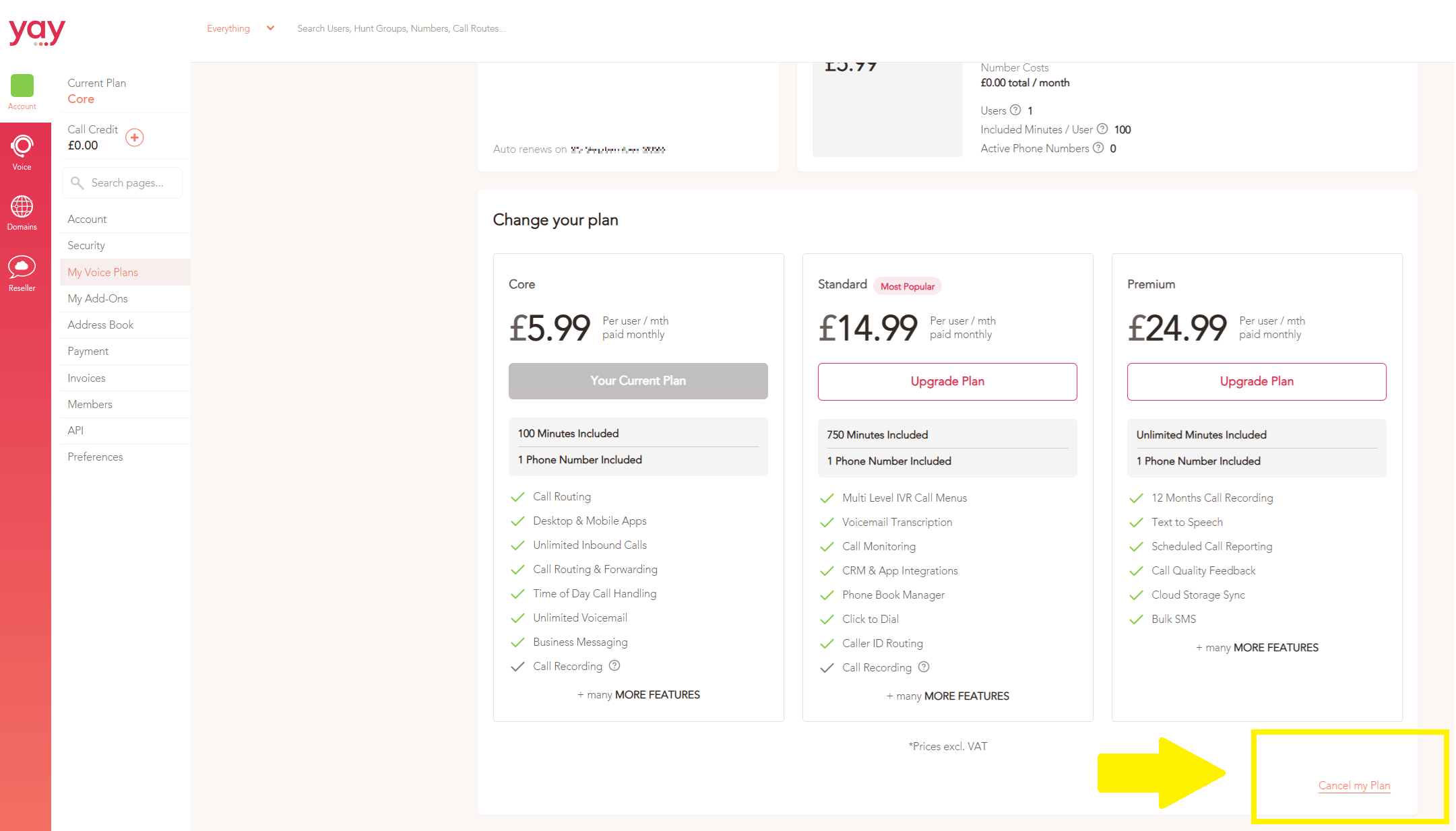
Click this option and follow the steps that appear after.
This will stop your account from renewing. You can also click Resume on this page to resume your plan at any point before it cancels.
If you ever want to start your plan up again after it cancels, please bear in mind that you may need to choose a new number when you restart your plan - after cancelling your account, your phone number will be held for 90 days for standard numbers, or 30 days for premium numbers or from trial accounts.
If you need any further help today, please don't hesitate to contact our friendly support team on 0330 122 6000 or by email!