How do I use my number with WhatsApp Business?
Connecting a landline number to WhatsApp Business
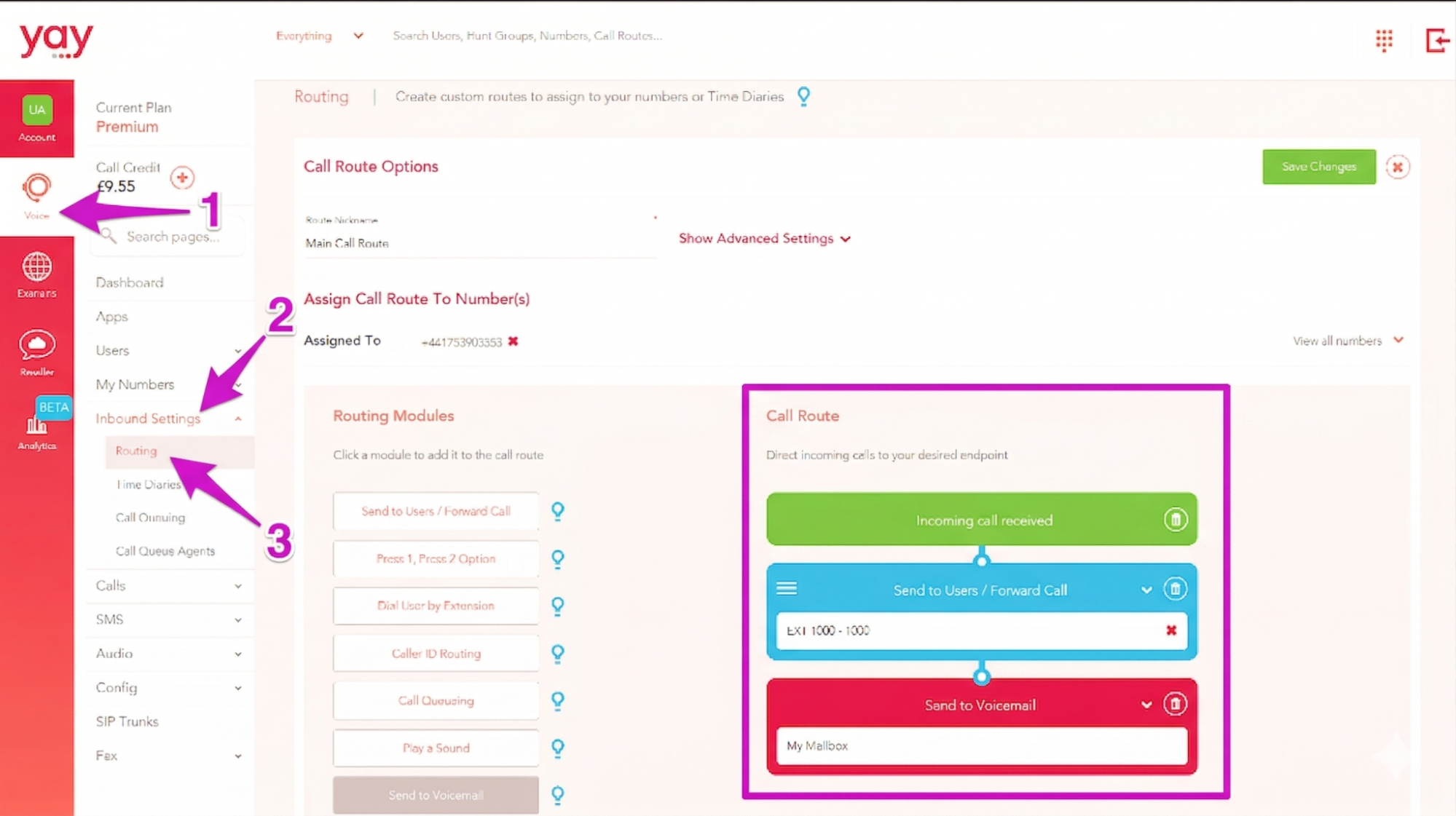
Firstly, you need to make sure the routing on the number doesn’t have any of the following routing modules:
- IVR
- Welcome Greeting
- Whispers
As these will block you from receiving a verification code. You can check this in your Routing Page:
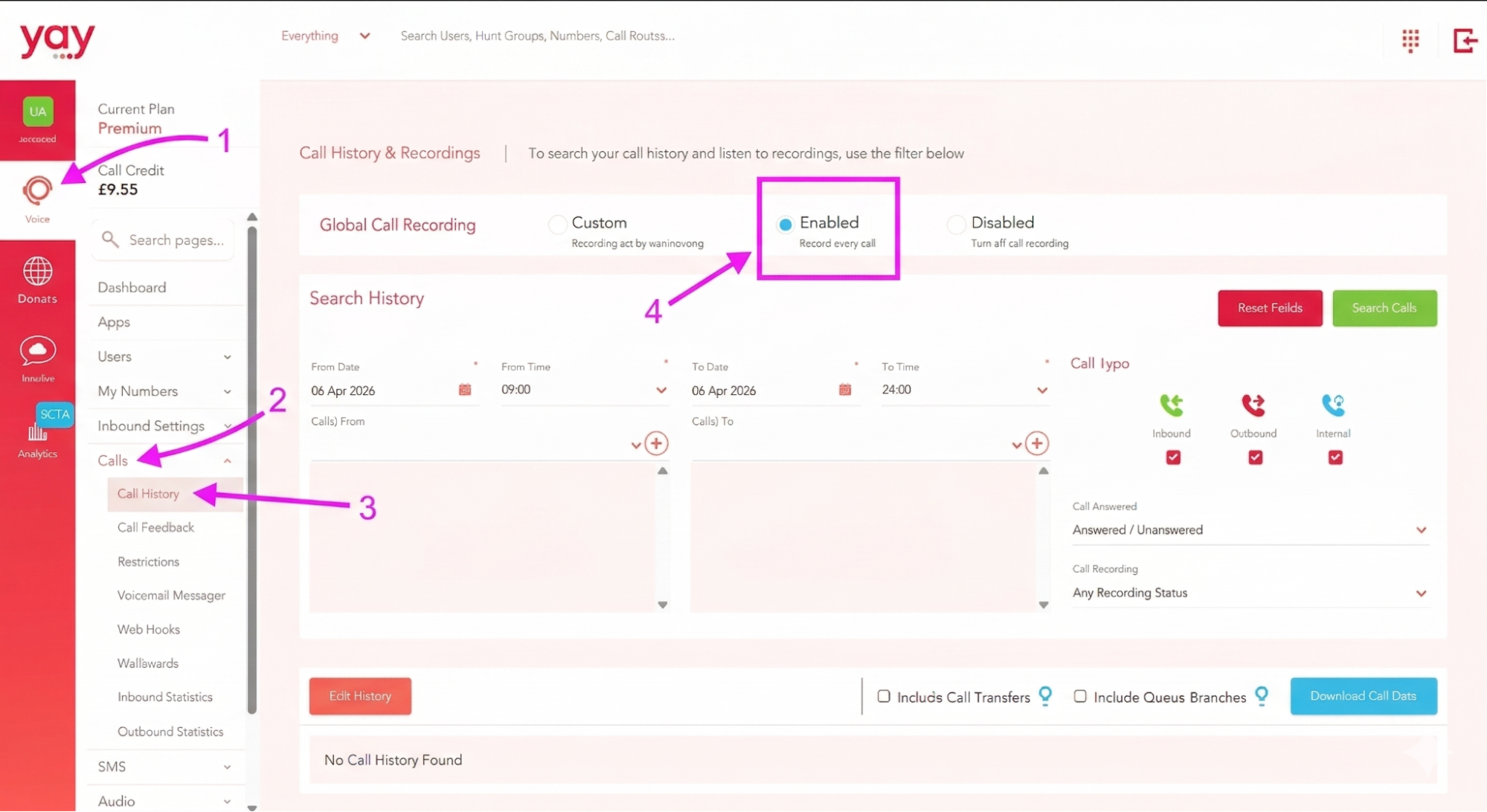
We would also recommend enabling Global Call Recording in your Call History. This is so that if you miss the verification code given over the phone, you will have the call recording so you can hear it back.
Open WhatsApp Business and enter the landline number that you’d like to connect to, then choose the option for WhatsApp to call you. You must choose this option for verification because landline numbers can’t receive SMS.
Then WhatsApp will call you, and let you know the verification code to enter into the WhatsApp Business app.
Please note, WhatsApp do state that they don’t allow VoIP numbers, however the majority of our numbers are compatible with WhatsApp. If you find that your landline number is not connecting and you aren’t receiving the verification call from WhatsApp, unfortunately there isn’t much we can do from our side except offer to change your landline number.
Connecting a mobile number to WhatsApp Business:
If you’re connecting a mobile number to WhatsApp, you will be able to receive the verification code via SMS, so you can choose that option when entering your number into WhatsApp.
You will receive the verification code to your SMS Messages Page. You can find your SMS Messages in the Yay dashboard by navigating to Voice > SMS > Messages.
If you have any questions, please don’t hesitate to contact our friendly Support Team on 0330 122 6000, or by emailing help@yay.com.