Yay.com App
How do I install the new Yay.com app on Windows?
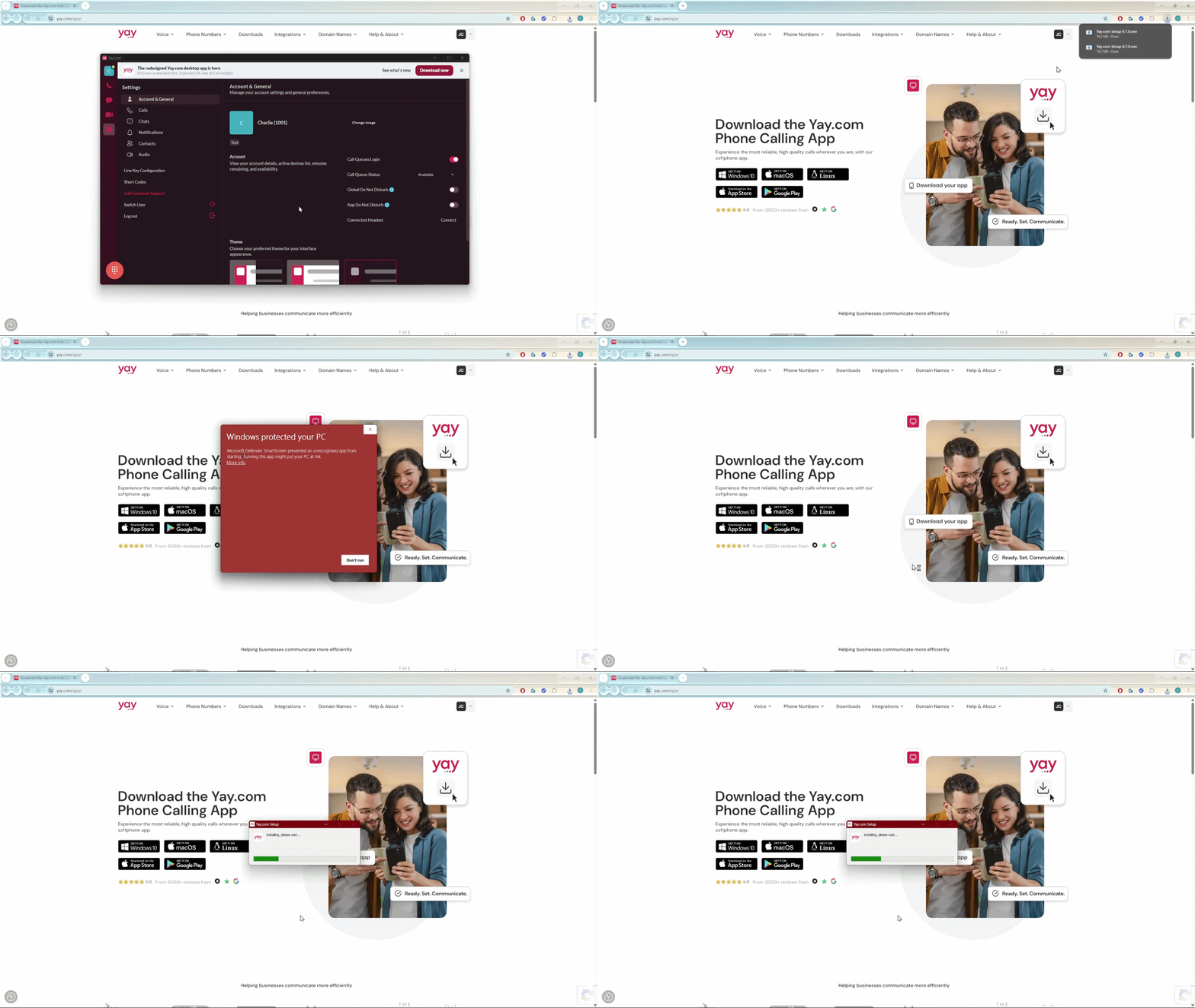
If you are using the old version of the Yay.com app on your Windows device, you should now be prompted to install the new version at the top of your screen! Please see below how to install this onto your computer:
1. Click the "Download Now" button, and a .exe file will be downloaded on your web browser.
2. Run the .exe file on your computer
3. You may receive a prompt from Windows saying "Windows protected your PC".
If so, click the "More info" button and you can then click the "Run Anyway" button at the bottom of the window to allow this app to install
4. Allow Yay.com to finish its install, and the app will automatically open on the new version!
Please see below a .GIF that showcases this process: